
Google Analytics 4 for Small Business Marketing Decisions

Why Google Analytics 4 Matters for Small Business Marketing
Google Analytics 4 (GA4) represents a fundamental shift in how businesses understand customer behavior. Unlike Universal Analytics, GA4 is built on an event-based model that captures a more complete picture of the customer journey across devices and platforms. For small businesses operating with limited marketing budgets, this means you can finally see the full story of how customers interact with your brand—from first touchpoint to conversion.
The stakes are high. According to recent data, small businesses that leverage analytics effectively experience 23% higher conversion rates than those that don't. Yet many small business owners remain uncertain about GA4's setup and practical application. This guide bridges that gap, walking you through the essential features and actionable insights that directly impact your bottom line.
Setting Up Google Analytics 4: The Foundation
Before you can make data-driven decisions, you need proper setup. Start by creating a GA4 property if you haven't already. Google allows easy migration from Universal Analytics, and the process takes just a few clicks. Navigate to your Google Analytics admin panel, select your account and property, then create a new GA4 property alongside your existing setup.
The critical step most small businesses miss is configuring the data stream correctly. A data stream is where GA4 collects data from your website or app. For websites, you'll add the GA4 measurement ID to your site through Google Tag Manager (GTM) or directly via the code snippet. This ensures GA4 captures every relevant interaction. Once installed, enable enhanced ecommerce if you sell products, and set up cross-domain tracking if you operate multiple websites. These foundational choices determine the quality of insights you'll receive for months to come.
Understanding Key GA4 Metrics for Small Business Growth
GA4 introduces different metrics than Universal Analytics, which confuses many business owners. Focus on these essential KPIs: Users (total unique visitors), Sessions (browsing sessions), Engagement Rate (percentage of engaged sessions), Conversion Rate (percentage completing your goal), and Average Session Duration. For ecommerce, track Purchase Conversion Rate, Average Order Value (AOV), and Return on Ad Spend (ROAS).
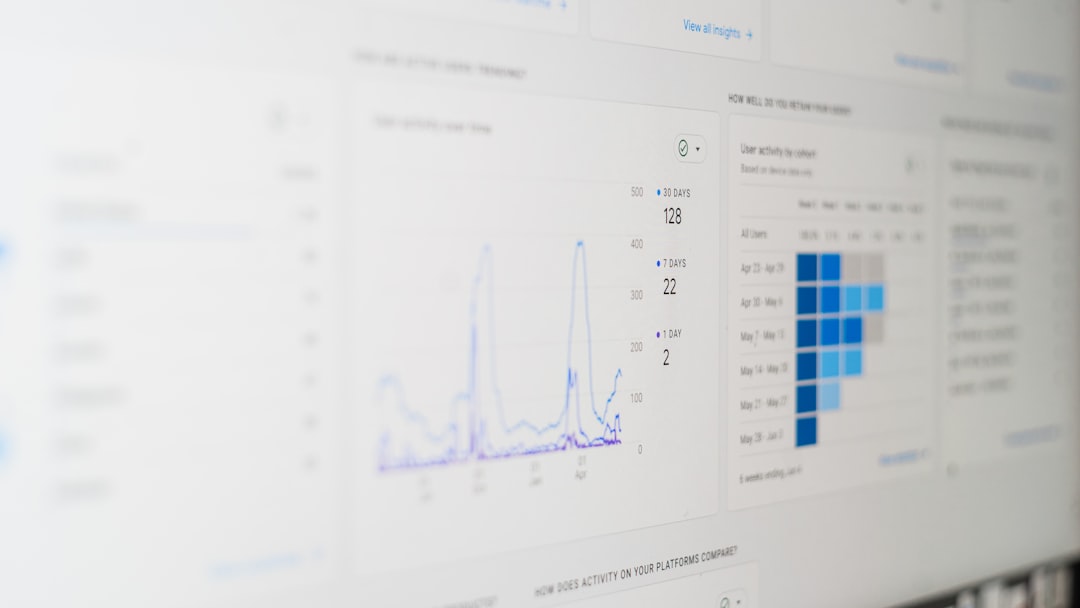
The real power lies in GA4's cross-device tracking. A customer might research you on mobile during lunch, then purchase on desktop at night. GA4 recognizes this as one customer journey, giving you accurate attribution. This is invaluable for small businesses trying to understand whether their Instagram ads or Google Search campaigns drive actual sales. Create custom dashboards highlighting your top three to five metrics—don't get overwhelmed by the hundreds of available data points. Start simple, add complexity as you grow comfortable with the platform.
Setting Up Goals and Conversions That Matter
Conversions are the heartbeat of GA4 analytics for small businesses. A conversion isn't just a sale—it's any meaningful action: newsletter signup, contact form submission, product view, or video watch. Define conversions based on your actual business objectives. For a B2B consulting firm, a qualified lead form submission might be the primary conversion. For an ecommerce store, it's purchase completion.
To create conversions in GA4, navigate to the Events section in your admin panel. Mark important events as conversions by toggling the conversion switch. You can also create custom events using Google Tag Manager if your specific goals require it. The key is consistency—ensure you're tracking the same actions across all campaigns and channels. This unified measurement prevents the common small business mistake of optimizing one channel (like Google Ads) while ignoring another (like email marketing).
Using GA4 Insights to Optimize Marketing Spend
Here's where analytics directly impact your ROI. GA4's Attribution section shows which channels and campaigns drive conversions. Unlike last-click attribution (which credits only the final touchpoint), GA4 uses data-driven attribution that distributes credit across the entire customer journey. This reveals the true value of each marketing channel.
Use the Acquisition report to see which channels bring traffic and which convert best. The Conversion Paths report shows the typical sequence before conversion. Small businesses often discover that while paid search brings the most traffic, organic search brings the highest-quality visitors. Or that social media builds awareness but email closes deals. Armed with these insights, reallocate budget toward your best-performing channels. Test methodically—change one variable at a time and measure impact over 2-4 weeks before drawing conclusions.
Actionable Next Steps for Your Business
Start your GA4 optimization journey this week: First, audit your current setup to ensure proper tracking. Second, define your top three business goals and create corresponding conversions in GA4. Third, build a custom dashboard displaying only your critical metrics. Finally, schedule a monthly review meeting to analyze trends and adjust strategy. GA4 provides the intelligence; your job is applying it consistently. The small businesses pulling away from competitors aren't necessarily larger—they're the ones letting data guide their marketing decisions. Make that your competitive advantage.