
Optimize Your Google Business Profile for Local Search
Why Your Google Business Profile Matters More Than Ever
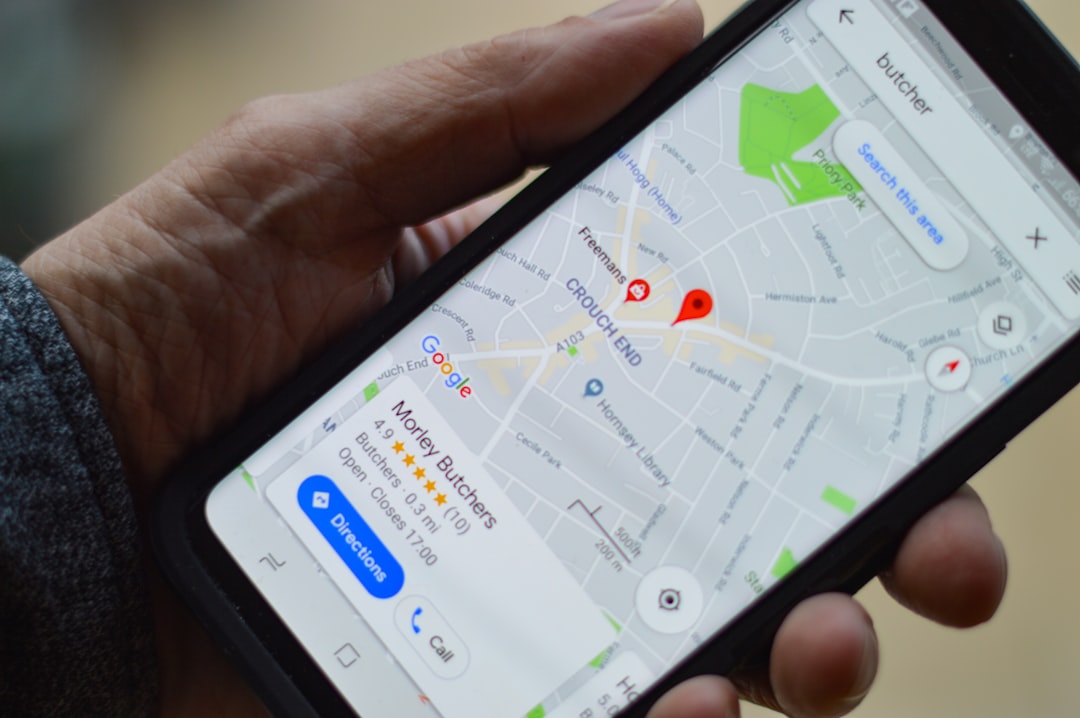
In today's digital landscape, your Google Business Profile (GBP) is often the first impression potential customers have of your business. When someone searches for services in your area, Google prioritizes businesses with complete, optimized profiles. For local businesses in NYC and beyond, a well-maintained GBP isn't just nice to have—it's essential to competing for local search visibility.
Think of your Google Business Profile as your digital storefront. It appears in Google Search results, Google Maps, and across Google's network of properties. Statistics show that 76% of people who search for a business on their mobile device visit the business within 24 hours. That means your GBP optimization directly impacts foot traffic and customer acquisition.
Claim and Verify Your Business
The first step in optimization is ensuring you actually own and control your profile. If you haven't claimed your business yet, head to Google Business Profile and complete the verification process. Google will typically send a postcard with a verification code to your business address—this process usually takes 5-7 business days.
If someone else has created a profile for your business, you can request management access. This is especially common for established businesses or franchises. Once verified, you gain full control over all profile information and can make real-time updates.
Complete Your Business Information
Completeness is a major ranking factor for local search. Ensure every section of your profile is thoroughly filled out. This includes your business name (exactly as it appears legally), full address, phone number, website URL, business hours, and service areas. Don't overlook the "From the Business" section—use this to write a compelling description that naturally incorporates relevant keywords.
Add all applicable business categories. While your primary category should be your main business type, secondary categories help Google understand the full scope of what you offer. For example, a digital marketing agency might list "Marketing Agency" as primary with "Web Design Service" and "Advertising Agency" as secondaries. This nuance improves visibility for related searches.
Optimize Your Business Description
Your business description is prime real estate for local SEO. Write a 750-character description that speaks directly to your target audience while incorporating relevant keywords naturally. Avoid keyword stuffing—Google's algorithm penalizes this practice. Instead, focus on describing what makes your business unique and why customers should choose you.
Include location modifiers if you serve specific neighborhoods or areas. For instance, "Web design services for Brooklyn businesses" signals relevance to local searches. Mention any specializations, years in business, awards, or certifications that build credibility.

Leverage Photos and Videos for Maximum Impact
Visual content significantly impacts engagement and conversion rates on your GBP. Upload high-quality photos of your storefront, team, products, services, and happy customers (with permission). Aim for at least 10-15 diverse images that showcase different aspects of your business. Videos are increasingly important too—a short introduction video or customer testimonial can dramatically improve your profile's performance.
Label your photos with descriptive titles and alt text that includes relevant keywords. For example, instead of "IMG_001.jpg," name it "professional-web-design-studio-schiano-studios-nyc.jpg." This helps Google understand your content and improves accessibility for users with screen readers.
Manage Reviews and Ratings Strategically
Customer reviews are a critical ranking factor for local search. Encourage satisfied customers to leave reviews by making the process easy. Include a direct link to your review page in follow-up emails, on your website, and in-store signage. Respond professionally to all reviews—both positive and negative.
When responding to reviews, demonstrate your commitment to customer service and address any concerns raised in negative reviews. This shows potential customers that you care about feedback and actively work to improve. Aim for at least one new review per week to maintain freshness and signal active business engagement.
Post Regularly and Keep Information Current
Google Business Profile Posts allow you to share updates, promotions, events, and news directly in your profile. These posts appear prominently in your GBP listing and drive engagement. Post at least 1-2 times per week about new services, upcoming events, seasonal promotions, or company news.
Equally important is keeping your core information current. Update your hours if you have seasonal variations, immediately post if you close for a holiday, and quickly address any changes to services or locations. Outdated information frustrates customers and signals to Google that your profile isn't actively maintained.
Monitor Performance with Insights
Your GBP Insights dashboard provides valuable data about how customers find and interact with your profile. Track metrics like search queries, customer actions (like clicks to your website or calls), and how users discovered your profile. Use this data to refine your optimization strategy—if certain keywords drive traffic, emphasize them in your profile content.
At Schiano Studios, we've helped dozens of NYC businesses transform their local search presence through comprehensive GBP optimization. The businesses that see the biggest improvements are those that treat their profile as a living, breathing marketing asset—not a set-it-and-forget-it platform. Start implementing these strategies today and watch your local search rankings climb.