
Optimize Your Google Business Profile for Local Search
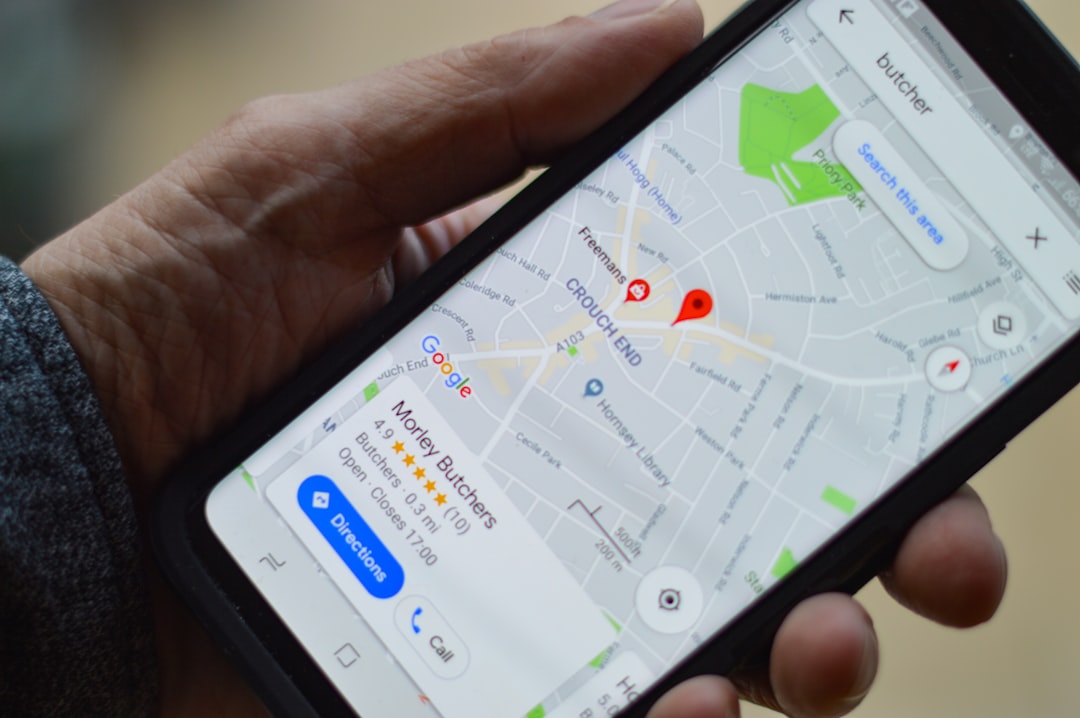
Why Your Google Business Profile Matters for Local Search
If you're running a small business in NYC or anywhere else, your Google Business Profile is one of the most powerful tools at your disposal for local search visibility. When potential customers search for services you offer in your area, Google relies heavily on your Business Profile to determine whether your company appears in local results. A well-optimized profile can mean the difference between landing new clients and watching them discover your competitors instead.
The importance of this free tool cannot be overstated. Studies show that 76% of people who search for local businesses on their smartphone visit the business within 24 hours, and many of those journeys begin with your Google Business Profile. This means optimization isn't optional—it's essential for growth.
Step 1: Claim and Verify Your Business Profile
Before you can optimize anything, you need to claim your Google Business Profile if you haven't already. Visit google.com/business and sign in with your Google account. Search for your business by name and location. If your business exists in Google's database, you'll see an option to claim it. If not, you'll create a new profile from scratch.
Once you've found or created your profile, Google will ask you to verify ownership. This typically happens through postcard verification, where Google mails you a code to enter into your account. This process can take up to two weeks, so don't delay. Some businesses may qualify for instant verification through phone or email, depending on their location and business type.
Step 2: Complete Every Section of Your Profile
Completeness is critical. Google rewards profiles that provide comprehensive information. Start with the basics: ensure your business name, address, and phone number (NAP) are exactly as they appear across all your online listings. Inconsistencies here can confuse both Google and potential customers.
Next, add your website URL and business category. Choose the primary category that best describes your business, then add up to 10 secondary categories. Be specific—if you run a plumbing company, select "Plumber" rather than "Contractor." Write a compelling business description (up to 750 characters) that naturally incorporates keywords relevant to your services and location.
Step 3: Leverage Photos and Videos for Maximum Impact
Visual content significantly impacts how potential customers perceive your business before they even visit or call. Upload high-quality photos of your storefront, team, products, and services. Google suggests adding at least 10 photos, though more is better. Include images that showcase what makes your business unique.
Videos are increasingly important too. A 15-30 second video introduction of your team or a walkthrough of your space can dramatically increase engagement rates. This visual strategy helps you stand out in local search results and builds trust with potential clients who are evaluating their options.
Step 4: Optimize Your Business Hours and Attributes
Ensure your business hours are accurate and up-to-date, including any seasonal variations or holiday closures. Nothing frustrates potential customers more than showing up at a time they believe you're open. If you offer services like delivery, curbside pickup, or online booking, enable these attributes in your profile.
For service-based businesses, add service areas if applicable. This tells Google where you serve customers and helps your profile appear in local searches across your entire service territory, not just your physical location.
Step 5: Encourage and Respond to Reviews
Google Reviews are a ranking factor and a trust signal. Encourage satisfied customers to leave reviews by following up after successful transactions. Keep it simple—include a direct link to your review page in emails or text messages. Never fake reviews; Google's algorithms detect them and can result in profile penalties.
Just as important as earning reviews is responding to them. Reply to all reviews, both positive and negative, within 48 hours when possible. Thank customers for positive feedback and address concerns professionally in negative reviews. This engagement signals to Google that you're an active, responsive business.
Step 6: Post Regularly and Stay Active
Google Business Posts allow you to share updates, promotions, events, and news directly on your profile. These posts appear in your local knowledge panel and can improve your ranking. Aim to post at least once a week. Share timely content like seasonal promotions, new services, team updates, or community involvement.
This regular activity keeps your profile fresh and gives both Google and potential customers reasons to revisit your profile. It's a simple way to stay top-of-mind in your local market.
Final Thoughts: Consistency Drives Results
Optimizing your Google Business Profile isn't a one-time task—it's an ongoing strategy. Regular updates, consistent information across the web, quality photos, and genuine customer reviews work together to boost your local search rankings. For small businesses competing in crowded markets like New York City, this optimization can be the competitive edge you need to attract nearby customers consistently.